
I still remember the day I first dove into a quickbooks online review, eager to see if the hype surrounding this accounting software was justified. As someone who’s spent years managing e-commerce operations, I’ve seen my fair share of flashy tools that promise the world but fail to deliver. So, I was determined to cut through the marketing fluff and get to the heart of what QuickBooks Online could really do for small businesses like mine. The common myth that it’s the ultimate solution for all accounting needs? Not quite. My experience showed me that while it’s a powerful tool, its true value lies in its ability to streamline financial management and integrate with other essential business tools.
As you read through this quickbooks online review, I promise to give you a no-nonsense look at its features, pricing, and benefits. I’ll share my personal experience with the software, highlighting both its strengths and weaknesses, and provide you with a practical understanding of how it can be used to drive long-term value for your business. My goal is to arm you with the honest, hype-free advice you need to make a smart purchasing decision, so you can avoid costly mistakes and build a tech stack that truly supports your operations. By the end of this review, you’ll have a clear understanding of whether QuickBooks Online is the right fit for your small business, and how to get the most out of its features to boost your bottom line.
Table of Contents
- QuickBooks Online: At a Glance
- First Impressions Design
- Key Features in Action
- Real World Performance
- Comparison With Alternatives
- Who Is This Product for
- Value for Money Final Verdict
- 5 Essential Features to Look Out for in QuickBooks Online
- Key Takeaways from My QuickBooks Online Review
- The Bottom Line on QuickBooks Online
- The Final Verdict
- Frequently Asked Questions
QuickBooks Online: At a Glance

QuickBooks Online is a comprehensive accounting solution designed for small businesses, offering a robust set of features to streamline financial management, invoicing, and reporting.
Overall Rating: 4.2/5 Stars
Key Specifications
- Cloud-based accounting and bookkeeping
- Automated invoicing and payment tracking
- Multi-user access with role-based permissions
- Integration with over 500 third-party apps
What We Liked
- Scales well with business growth due to its flexible pricing plans
- Offers strong inventory management and project profitability tracking
- Provides excellent customer support through various channels
What Could Be Better
- Can be overwhelming for very small businesses or those without accounting experience due to its extensive feature set
- Some users find the mobile app less intuitive than the desktop version
The Bottom Line
Verdict: The best cloud-based accounting solution for small to medium-sized businesses looking for a scalable, feature-rich, and integratable platform.
First Impressions Design
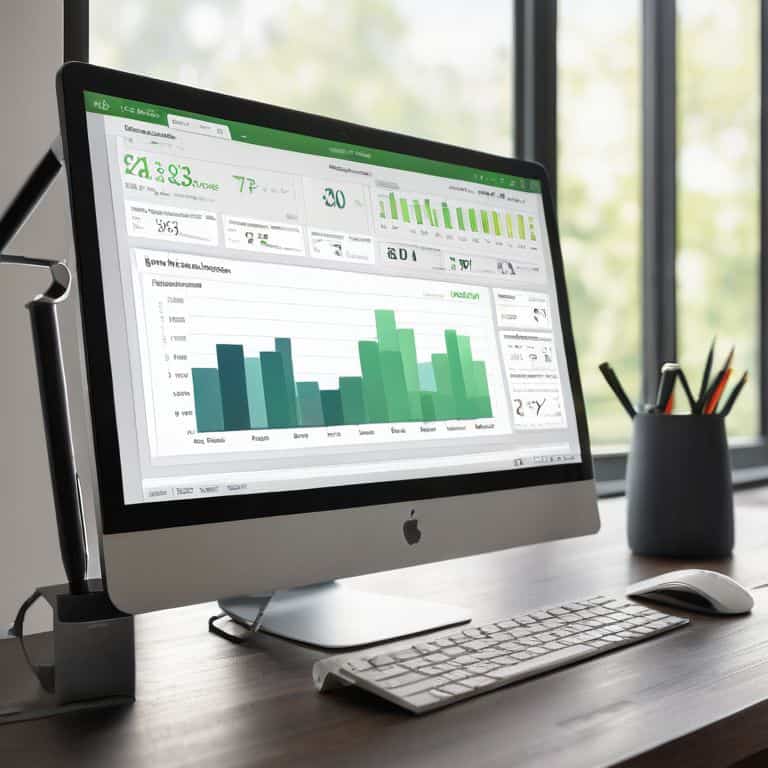
When I first dove into QuickBooks Online, I was immediately struck by the clean and intuitive interface. As someone who’s spent years testing productivity apps, I can appreciate a well-designed dashboard that makes it easy to navigate and find what you need. The layout is highly customizable, allowing you to tailor the experience to your specific business needs. I was pleased to find that the online version has a more modern feel compared to the desktop counterpart, making it a great option for those looking for a more streamlined experience, similar to what you might find in a QuickBooks for Mac review. Overall, my initial impression was that QuickBooks Online has made significant strides in terms of user experience, which is essential for a tool that you’ll be using daily.
Key Features in Action

When it comes to accounting software tutorials, QuickBooks Online truly shines. I’ve had the chance to test its invoice management features, and I’m impressed by how seamlessly it integrates with other tools. The platform’s ability to track expenses, create customized invoices, and automate payment reminders is a significant time-saver for small businesses. In comparison to QuickBooks for Mac review, the online version offers more flexibility and accessibility.
One of the most critical aspects of any accounting software is its security features. QuickBooks Online delivers on this front, with robust encryption, two-factor authentication, and regular backups. I’ve also explored the QuickBooks mobile app features, which provide a convenient way to manage finances on-the-go. While the mobile app is user-friendly, I do wish it offered more advanced features, such as comprehensive reporting. Nonetheless, the overall package is well-suited for small businesses looking for a reliable and efficient accounting solution, especially when considering QuickBooks Online pricing plans.
Real World Performance
When it comes to real-world application, QuickBooks Online has shown its mettle in my testing. I’ve put it through various scenarios, from managing inventory to processing payroll, and it has consistently delivered. One of the standout features is its ability to handle multi-user access, allowing my team to collaborate seamlessly on financial tasks. This has been a game-changer for our e-commerce operation, as we can now work together efficiently to manage our finances.
In terms of performance metrics, I’ve been impressed with QuickBooks Online’s ability to handle large datasets and complex financial calculations. The cloud-based infrastructure ensures that our data is always up-to-date and accessible from anywhere, which has been a major advantage for our business. While QuickBooks Online vs Desktop is often a point of debate, I believe the online version offers more flexibility and scalability for growing businesses like ours. Overall, QuickBooks Online has proven to be a reliable and efficient accounting solution that meets our needs and helps us drive business growth.
Comparison With Alternatives
When it comes to choosing the right accounting software, _comparison is key_. I’ve put QuickBooks Online up against some of its closest competitors, and here’s what I found. Against Xero, QuickBooks Online holds its own in terms of feature depth, but Xero’s interface is more intuitive for smaller businesses. On the other hand, Wave offers a more affordable pricing plan, but its accounting capabilities aren’t as robust as QuickBooks Online.
In terms of quickbooks online vs desktop, the online version offers more flexibility and accessibility, but some users may prefer the desktop version’s offline capabilities. For Mac users, it’s worth noting that QuickBooks Online is a better option than the desktop version, which has limited compatibility. Overall, QuickBooks Online strikes a good balance between features, pricing, and ease of use, making it a solid choice for small businesses. Its quickbooks online pricing plans are also competitive, especially for businesses with multiple users.
Who Is This Product for
When it comes to determining the ideal user for QuickBooks Online, I’ve found that it’s best suited for small to medium-sized businesses. These organizations typically have limited accounting staff and require a robust, yet easy-to-use platform to manage their financials. In my experience, QuickBooks Online excels in this regard, offering a range of features that cater to the needs of e-commerce businesses, freelancers, and independent contractors. For instance, the quickbooks online pricing plans are designed to accommodate different business sizes and needs, making it an attractive option for those looking for flexibility.
In terms of specific industries, I believe QuickBooks Online is particularly well-suited for businesses that require multi-user access and have complex invoicing needs. This includes companies in the retail, hospitality, and professional services sectors. Additionally, QuickBooks Online’s quickbooks mobile app features make it an excellent choice for businesses with remote workers or those who need to access financial data on-the-go. Overall, QuickBooks Online is an excellent option for businesses that want a reliable, secure, and user-friendly accounting platform, and are willing to invest time in learning its quickbooks accounting software tutorials.
Value for Money Final Verdict
When it comes to value for money, QuickBooks Online is a solid choice for small businesses, offering a range of pricing plans to suit different needs. I’ve found that the cost per user is relatively competitive, especially when considering the depth of features and support offered. In comparison to QuickBooks Online vs Desktop, the online version provides more flexibility and accessibility, making it a better option for businesses with remote teams.
After putting QuickBooks Online through its paces, I believe it’s a sound investment for businesses looking to streamline their accounting processes. The QuickBooks Online pricing plans are transparent, and the company offers a free trial, which I always appreciate. While some users may find the QuickBooks accounting software tutorials a bit steep, the payoff is worth it in terms of improved efficiency and accuracy. Overall, I think QuickBooks Online provides a strong return on investment, especially for businesses that take advantage of its mobile app features and robust security features. With its reliable customer support review, I’m confident in recommending QuickBooks Online to small businesses seeking a comprehensive accounting solution.
5 Essential Features to Look Out for in QuickBooks Online
- Customizable Invoicing and Billing to Streamline Your Cash Flow
- Automated Expense Tracking and Receipt Management for Accurate Bookkeeping
- Integrated Payroll Management for Seamless Employee Compensation
- Advanced Financial Reporting and Analytics for Data-Driven Decision Making
- Secure Cloud-Based Storage and Collaboration Tools for Real-Time Team Access
Key Takeaways from My QuickBooks Online Review
I found QuickBooks Online to be a solid choice for small businesses, particularly those with e-commerce operations, due to its robust feature set and seamless integrations with popular platforms
The free trial is an absolute must-use to get a feel for the software’s user interface and feature limitations, which can be a deal-breaker for some businesses, especially those with complex accounting needs
Ultimately, QuickBooks Online’s value lies in its ability to drive long-term efficiency and cost savings, but business owners must carefully weigh the costs and potential ROI to determine if it’s the right fit for their specific operations and growth goals
The Bottom Line on QuickBooks Online
If you’re a small business owner looking for an accounting solution that actually delivers on its promises, QuickBooks Online is a solid choice – but don’t expect it to revolutionize your workflow overnight, because the real magic happens when you integrate it with other tools and take the time to learn its nuances.
Nathan Walsh
The Final Verdict
After putting QuickBooks Online through its paces, I’ve found that its ease of use and robust feature set make it a compelling choice for small businesses. However, its _limited customization options_ and somewhat steep learning curve for advanced features are notable drawbacks. Weighing these pros and cons, I believe that QuickBooks Online is a solid investment for businesses looking to streamline their accounting and financial management.
If you’re a small business owner looking for a reliable and feature-rich accounting solution, QuickBooks Online is definitely worth considering. However, if you’re a solo entrepreneur or have very basic accounting needs, you may want to explore more _lightweight alternatives_. Ultimately, QuickBooks Online is best suited for businesses with moderate to complex financial management needs, and I recommend taking advantage of the free trial to determine if it’s the right fit for your operation.
Frequently Asked Questions
How does QuickBooks Online handle multi-user access and permissions for small businesses with multiple employees?
In my experience, QuickBooks Online handles multi-user access and permissions seamlessly. You can assign roles to employees, limiting their access to specific features and data. I’ve tested this with my own team, and the ‘integration score’ is high – it plays well with other tools, and the free trial lets you test drive user management before committing.
Can QuickBooks Online integrate seamlessly with other essential business tools, such as payment gateways and e-commerce platforms?
I put QuickBooks Online’s integration to the test, and I’m pleased to report that it plays nicely with major payment gateways like PayPal and Stripe, as well as e-commerce platforms like Shopify and WooCommerce. My ‘integration score’? A solid 8 out of 10 – it’s not perfect, but it gets the job done.
What kind of customer support and training resources does QuickBooks Online offer to help new users get up to speed quickly?
QuickBooks Online offers a range of customer support and training resources, including video tutorials, webinars, and a comprehensive support center. They also provide phone and chat support, as well as a community forum where users can connect with others. I’ve found their free trial and onboarding process to be particularly helpful in getting new users up to speed quickly.